In every NetSuite project, go-live day gets the most attention. What we see in the field, though, is that a successful go-live is decided by the choices made in the weeks before it and by the discipline shown in the 30 days after. In this article we share the go-live approach we use with Türkiye-headquartered companies, including groups with foreign subsidiaries.
Go-live is a process, not a date
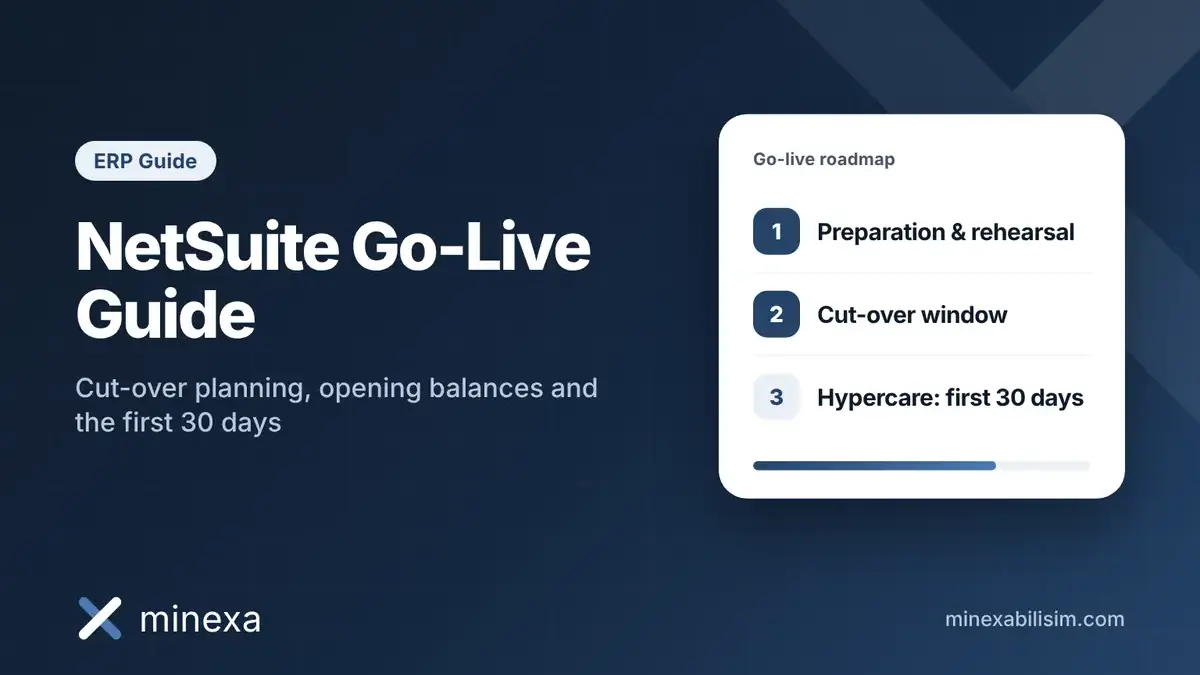
Teams that plan go-live as a single date usually get squeezed in the final week. A healthier approach splits it into three phases: preparation (cut-over plan and rehearsals), the cut-over window (freezing the legacy system, migrating data and running the first transactions) and hypercare (the intensive support period after go-live). Each phase needs a named owner, a defined output and written acceptance criteria, grounded in the realistic expectations agreed at the start of the project.
1. The cut-over plan: who does what, and when
A cut-over plan is a working list that shows every step of go-live week, hour by hour. A good plan covers at least the following:
Legacy freeze time: the exact point after which no invoices, delivery notes or payments are entered in the old system.
Migration sequence: master data first, then open items, then balances. Break the order and dependent records fail.
Owner and backup: one owner per step, plus a backup who steps in if the owner is unavailable.
Checkpoints: which report is used to validate each load, and who signs it off.
Rollback plan: the conditions under which you would return to the legacy system if something critical breaks.
We recommend rehearsing this plan at least once, ideally twice, in a sandbox account. Rehearsals make the timings realistic and expose errors in your import templates before they reach production.
Add a communication calendar to the plan as well. Tell customers and vendors in advance whether invoice layouts or bank details will change, and tell internal teams which day the legacy system becomes read-only. This small step noticeably reduces the calls and emails that arrive during go-live week.
2. Opening balances and data migration
Master data
Customers, vendors, items, the chart of accounts and bank accounts are loaded first. The most common problem here is carrying duplicate and inactive records over from the old system as they are. A data cleansing round before migration directly improves how far you can trust your reports after go-live. It is also the moment to check that tax numbers, addresses and payment terms are complete, since e-invoicing depends on them.
Open items
Open customer and vendor invoices, open orders and deposits are usually migrated document by document, so that the first receipts and payments after go-live can be applied to the right invoices. For foreign-currency open items, migrate the original currency amount and the transaction rate separately; otherwise your first revaluation run will produce unexpected exchange differences.
Balances and reconciliation
Trial balance figures must be loaded without double-counting the open items. A common practice is to bring open items into the relevant AR and AP accounts and the remaining balances through a journal entry against a temporary opening balance account. When migration is complete, a zero balance on that temporary account is the clearest sign that reconciliation is done. For inventory, load quantities by location and costs in line with the costing method you will use.
3. Don't forget the Türkiye-specific checks
Local compliance (NetSuite localization for Türkiye and Europe) deserves its own block in the go-live checklist. The details depend on your structure and your e-document provider, but the general list looks like this:
Validate e-Invoice and e-Archive integration with a test invoice in production, and set document number series so they do not clash with the legacy system.
Test VAT codes and withholding scenarios with real transaction examples.
Confirm that the Central Bank of the Republic of Türkiye (CBRT) exchange rate integration runs in production and uses the correct rate type.
Agree with your financial advisor from which period the e-Ledger will be produced from the new system.
For groups with foreign subsidiaries on OneWorld, keeping a separate checklist per subsidiary is the simplest way to avoid mixing up local requirements.
4. User readiness and role permissions
Even a technically flawless cut-over looks like a failure if users don't know what to do on day one. Training built around the real transactions each role will perform in the first week works far better than a generic screen tour: orders and fulfillments for sales, receipts and bank reconciliation for finance, receiving and shipping for the warehouse.
Roles and permissions must also be tested before go-live. Rehearsing with an administrator role and then meeting restricted roles in production is the most common day-one support ticket. Use this stage to confirm that approval workflows for purchases, payments and journals reach the right people.
5. The go / no-go decision
A few days before go-live, hold a decision meeting with the project team and business leads based on written criteria. For example:
No critical defects remain open after the final rehearsal.
Trial balance, open item and inventory reconciliations are signed off by their owners.
E-document integration and bank connections have been tested in production.
Every user has logged in with their own role and tried their core transactions.
The hypercare support plan and communication channels have been announced.
If any criterion is not met, moving the date by a few days is almost always cheaper than going live incomplete and spending weeks fixing it.
6. The first 30 days after go-live
Week one: daily control
During the first week, run a short daily status meeting with the project team and key users. Collect every support request in a single list, prioritize it and close the loop with the user. Monitor e-invoice submissions, bank activity and inventory movements every day during this period.
The first month-end close: the real test
The first month-end close after go-live shows whether the system has truly settled in. Running revaluation, depreciation, accruals, intercompany reconciliation and consolidation together with the project team the first time lets your team run them on its own in the following months. Turning the close into a checklist and following the same sequence every month builds a lasting habit.
Common mistakes
Postponing data cleansing until after go-live.
Rehearsing with the technical team only and leaving business users out.
Continuing to post in the legacy system in parallel instead of freezing it.
Keeping hypercare too short and leaving the first close without support.
Frequently Asked Questions
How long does a NetSuite go-live take?
The cut-over window itself usually takes a few days. Preparation and rehearsals take several weeks, and hypercare should last at least until the first month-end close after go-live. The total depends on data volume, the number of subsidiaries and integrations.
When is the best time to go live?
In practice, the start of a month or quarter is preferred so that opening balances come from a closed period. Avoiding peak sales periods and the days just before year-end close reduces risk.
Do we need to migrate all historical transactions?
In most projects, no. Master data, open items and balances are usually migrated. Historical transactions are brought over in summary form if reporting needs them, or the legacy system is kept as a read-only archive for a period.
How long should hypercare last?
At minimum it should cover the first month-end close after go-live. Hypercare can end once the team runs the close on its own and open support requests have dropped.
Conclusion
A successful NetSuite go-live depends not on luck but on a well-prepared cut-over plan, clean data and a disciplined hypercare period. At Minexa we manage this process end to end on NetSuite projects in Türkiye and abroad. If you would like to review your go-live plan together, get in touch with us.